Smart pi EYE is realtime digital signage. Passenger information, advertising and wayfinding all run from a single interface, even for the largest systems.
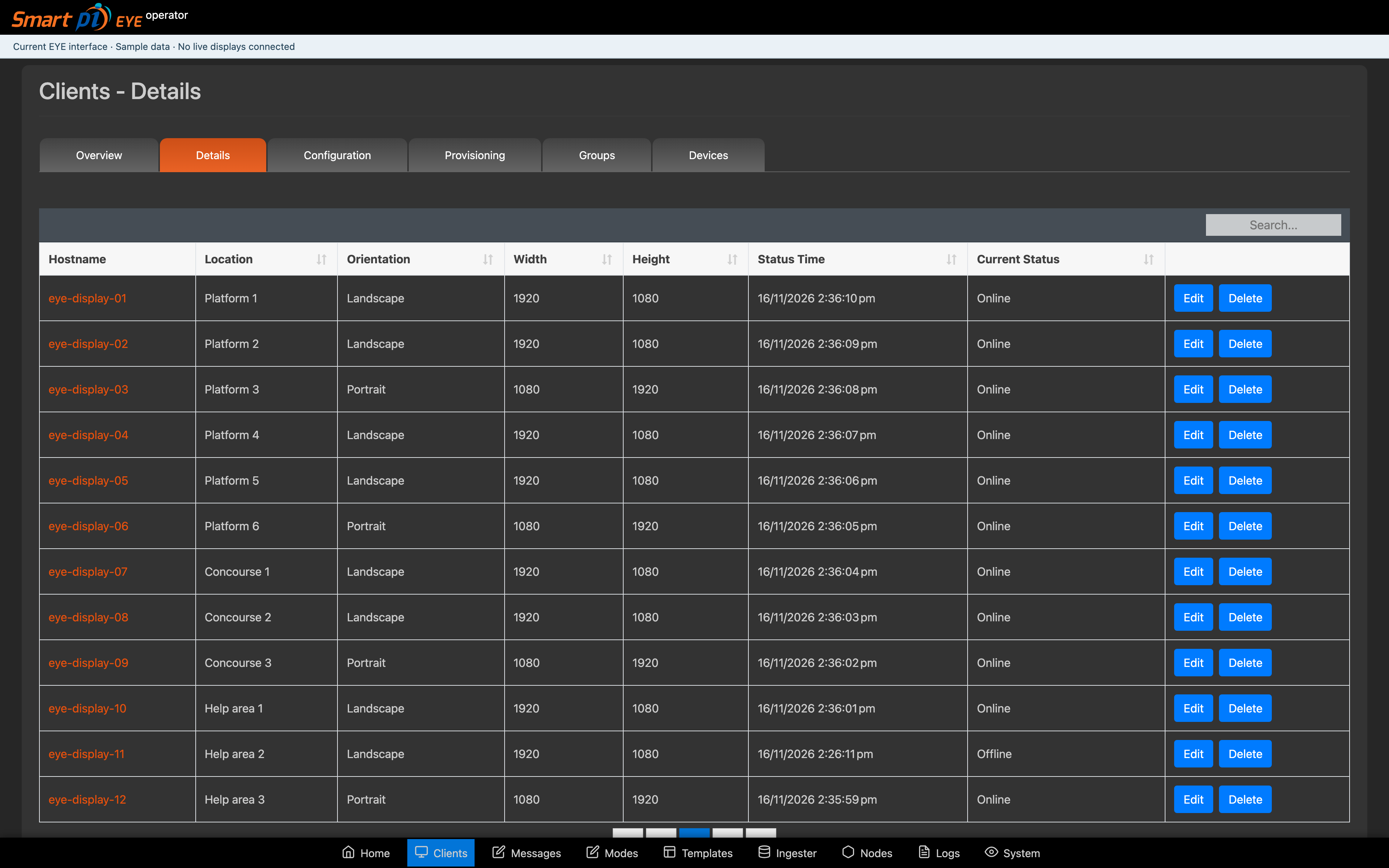
The system is made of a Master (configuration and content management), Nodes (display capacity and business logic), an Ingester for realtime feeds, and Smart pi EYE-HD players driving each screen. It can start small and grow to more displays or other services as needed. Display types are set up as templates, so administrators choose a type and the right view renders automatically on every screen.
Key features
- Completely web-based configuration and management
- Scales to many thousands of screens
- GTFS / GTFS-R and RSS, plus SIRI and custom protocols via Smart pi RTA
- Fully integrated with NMS, DVA and help and information points
- LDAP single sign-on
- Smart pi EYE-HD hardware, no PC needed at each screen
- Views are generated automatically; nothing is stored on the client
- Full redundancy options
Specifications
Passenger information
- Realtime information from GTFS / GTFS-R
- Next and following services
- Multi-agency support: buses, trains, trams, metro, ferries, airports and more
- Custom templates and business rules
- Visualise passenger load data, per carriage where the feed provides it, falling back to vehicle position data
- Arriving and departing indication calculated to the second
- Cancelled services kept, struck through or removed, chosen per screen
- Scheduled times shown when realtime data drops out, so screens stay useful during a feed outage
- Non-stopping services flagged with their own icon and message
- Scales to 1000+ displays
Display types
- Next services, following services, dual next services and multi services (ideal for stretched screens)
- Departure boards with up to four sections, covering whole interchanges and multiple agencies, plus a message or advertising area
- LED displays, pixel-mapped to any custom resolution
- Interactive kiosks with 3D wayfinding, accessible routes, search and a news ticker
- URL pass-through and clocks
- Message and alert engine for every display type
Templates and content
- Three standard templates (Default, Dark and Smart pi), plus custom templates in your own brand
- Templates work in landscape or portrait, and one template can serve many locations with its own titles
- Messages built in a graphical editor or in HTML, with images and video
- Media library for images, animated GIFs, SVG, video and 3D models (glTF)
- Destination icons for airports, interchanges and more
Dynamic wayfinding
- Move crowds where you want them, with custom-size LED displays
- Control displays individually or as a group, from web or mobile
- Integrates GTFS-R alerts, lifts and escalators
- Animation and video, high brightness indoors and out
- Live overlays on wayfinding signs: clock, next departure and destination
- Up to 20 displays from one EYE-HD, within a combined 1920 × 1080
Speech to text and DVA integration
- Live and DVA announcements shown as text, in multiple languages
- Google AI and voice interaction, with custom models
- Automate messages, modes, videos and images from DVA audio
- Help point buttons can read screen content aloud (Smart pi HLP)
Messages and modes
- Send realtime text messages to a group of screens, with a priority and display time
- High-priority messages override current content, full screen or as part of the screen
- GTFS-R service alerts shown using messages you prepare in advance, with live alert details filled in
- Alert messages mapped per agency feed, so each agency uses its own wording
- Group screens by area; a screen can belong to several groups
- Modes switch many screens at once, from desktop, mobile, a schedule by day and time, or the REST API
- Access to modes can be limited by LDAP group
- Pre-provision screens so they show the right content the first time they connect
Data and deployment
- GTFS / GTFS-R from many agencies and modes, plus RSS feeds for news and other content
- Platform names and headsigns mapped per feed
- REST API for integration with other systems
- Windows or Linux: on premises, bare metal, virtualised, cloud or hybrid
- Add Nodes and Ingesters for capacity and redundancy, on a MariaDB database
- Nodes can run in different time zones for systems spanning several
- Automatic failover with a second instance behind VRRP or a load balancer
- HTTPS with your own certificates, and an API key for the REST API
- Bring-your-own media players supported, with EYE-HD recommended for full central control
Typical server sizing
Master
Configuration and content
- CPU cores
- 4+
- Memory
- 8GB+
- Storage
- 50GB+
Ingester
Realtime feeds in
- CPU cores
- 8+
- Memory
- 16GB+
- Storage
- 50GB+
Node
Display capacity and logic
- CPU cores
- 8+
- Memory
- 16GB+
- Storage
- 50GB+
Database
MariaDB, shared by all
- CPU cores
- 16+
- Memory
- 32GB+
- Storage
- 100GB+
Staging all in one
Everything on one server
- CPU cores
- 8+
- Memory
- 16GB+
- Storage
- 50GB+
Minimums per server. Add Nodes and Ingesters as the system grows. Add servers for redundancy.