

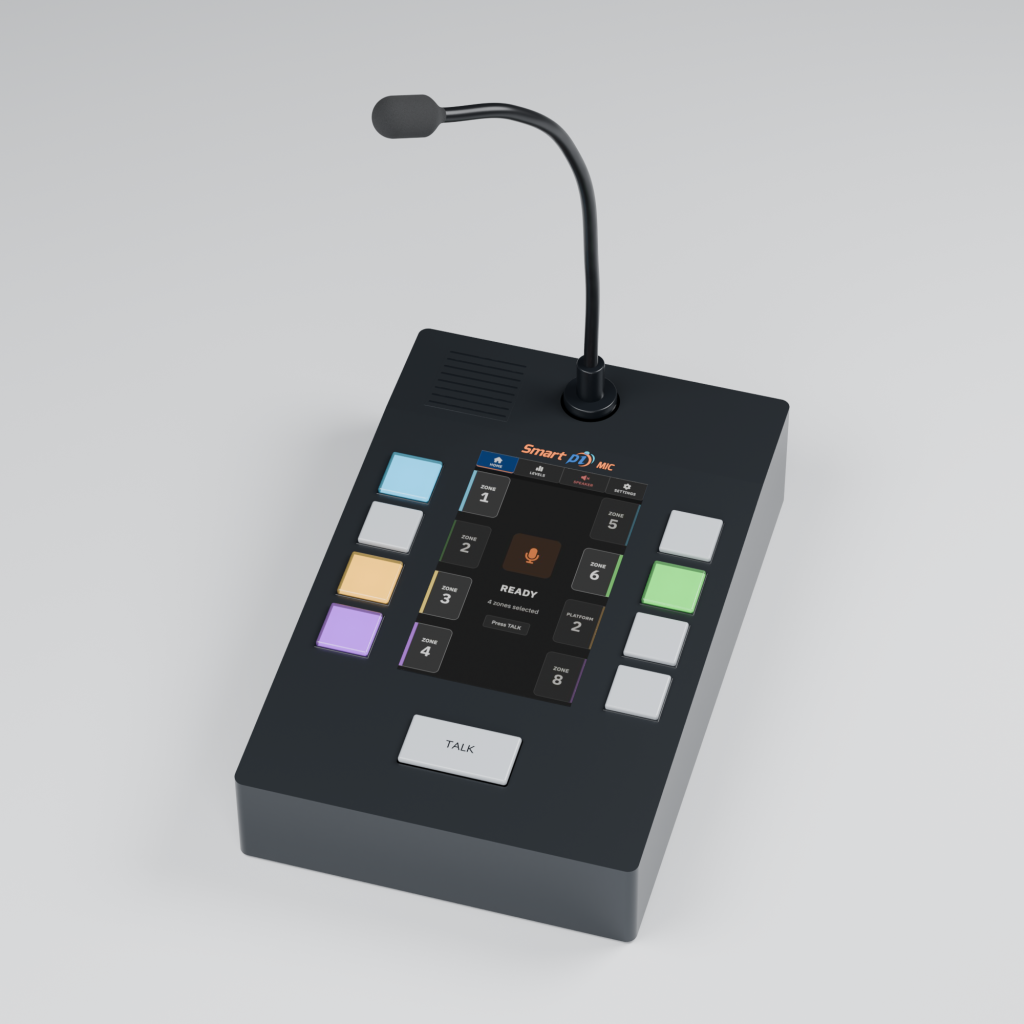
Live paging
Speak to every zone.
From one panel.
Smart Pi MIC puts live paging at your fingertips. Illuminated buttons choose where your voice goes, the touchscreen shows exactly what is selected and when you are live, and a chime gets everyone listening first. Set it up once in a browser, and it is ready for every announcement, every shift.
Made for the person at the microphone
Select. Chime. Speak.
Press the zones you want, press TALK, and speak. Eight physical buttons across three pages give you up to 24 zones, and your selections stay put as you move between pages.
Pick where it goes
Every button lights up in its zone’s colour and shows its name on screen, so you can see at a glance exactly where your announcement is heading.
Get their attention
A chime plays before you speak. Choose one from the library or upload your own, and hear it on the panel’s speaker too.
Know when you are live
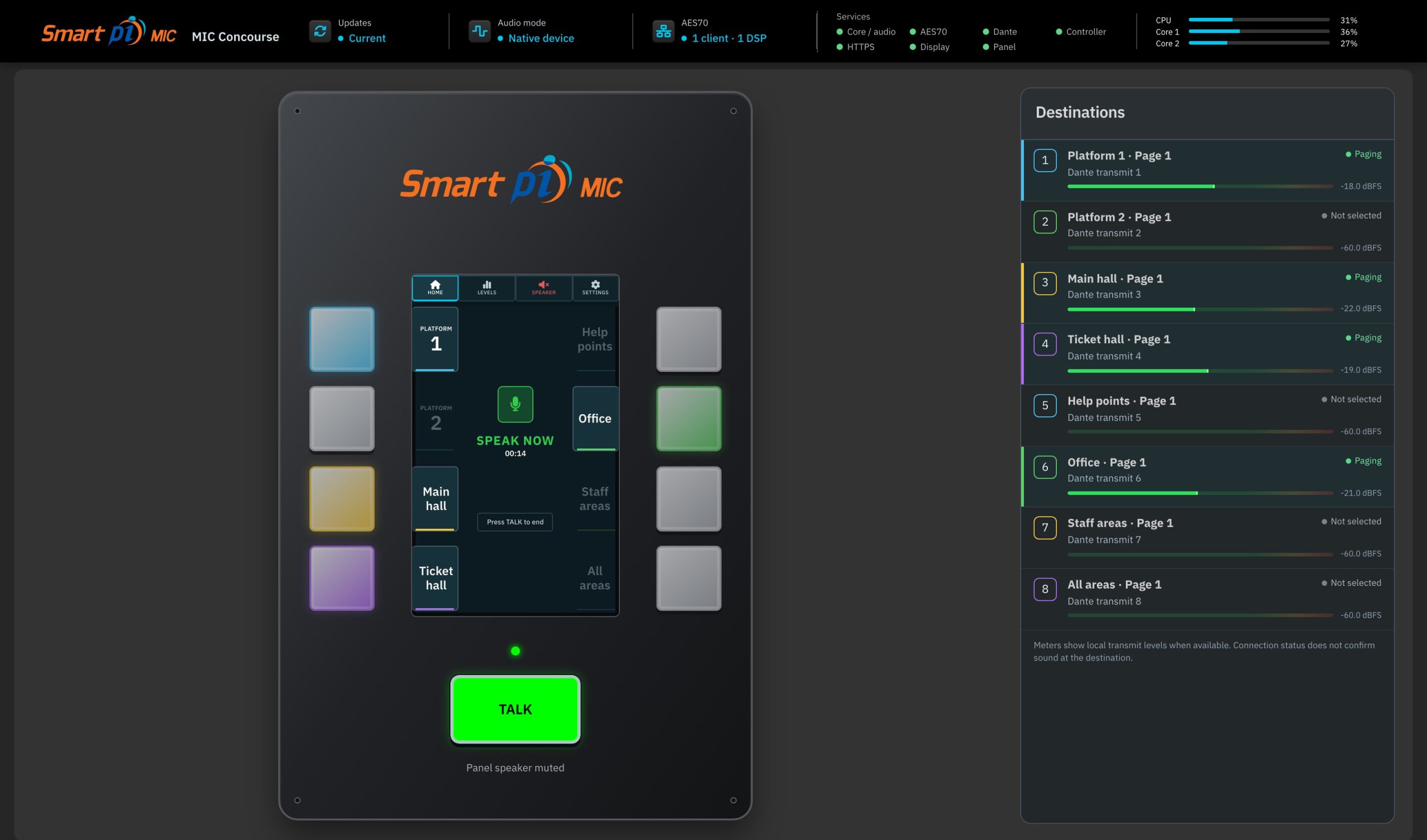
The screen shows each stage, from connecting to chime to live, so you never start talking too early.
The TALK button
Hold to talk, or tap to talk
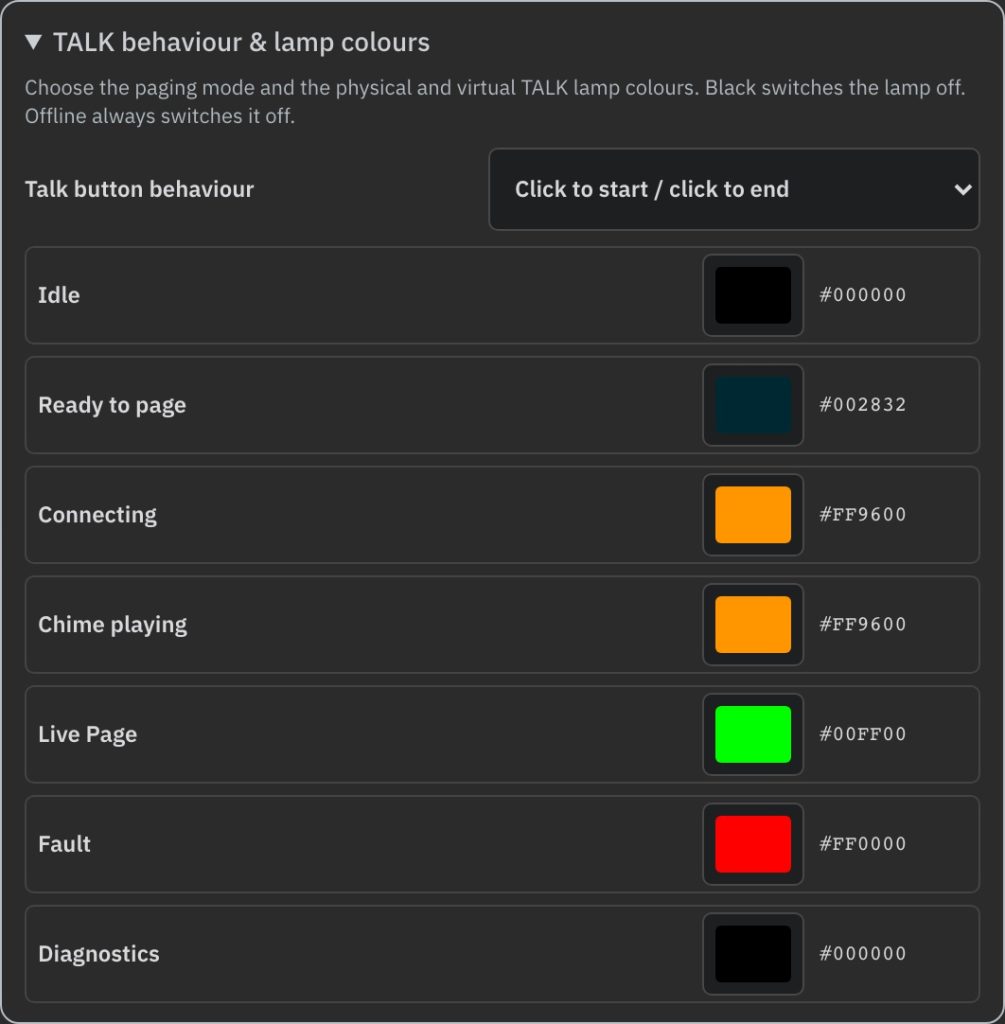
Choose how TALK works for the people using it. Hold to talk keeps the page open only while the button is held, the way a classic paging mic works. Click to start, click to end latches the page open, so longer announcements leave both hands free.
Hold to talk
Press and hold TALK to speak, and let go to finish. Nothing stays open by accident.
Click to start, click to end
Tap once to start the page and again to end it. The screen shows how long you have been live.
A colour for every state
Set the TALK lamp colour for idle, ready, connecting, chime, live, fault and diagnostics. The physical button and the browser’s virtual panel follow the same colours, and black switches the lamp off.
Fits your system
One panel, wherever your speakers are
Pair MIC with a Smart Pi DSP and it becomes that system’s dedicated paging station. Or mix and match local Dante zones, SIP destinations and zones on DSPs elsewhere, all from the same buttons.
DSP Partnered: MIC is the paging station for a Smart Pi DSP. Pick the zones, and the DSP sends your voice over Dante to the NAMs in every one of them.
DSP Partnered
MIC and your Smart Pi DSP work as one. Zone names and colours stay in sync automatically over AES70, so the panel always matches the system.
Mixed
Give every button the route it needs. Combine up to eight Dante channels with SIP destinations, including NAMs paged directly over SIP, and zones on remote DSPs, across up to 24 paging zones.
Dante audio
Send your voice to local zones over Dante, and listen back through a Dante return.
SIP audio
Page a Smart Pi NAM directly through its SIP module, or reach remote sites and DSPs across routed networks through the Smart Pi SIP Server.
AES70 control
The open AES70 standard keeps settings, zone names and control in step across the system.
Set up in a browser
Make it yours
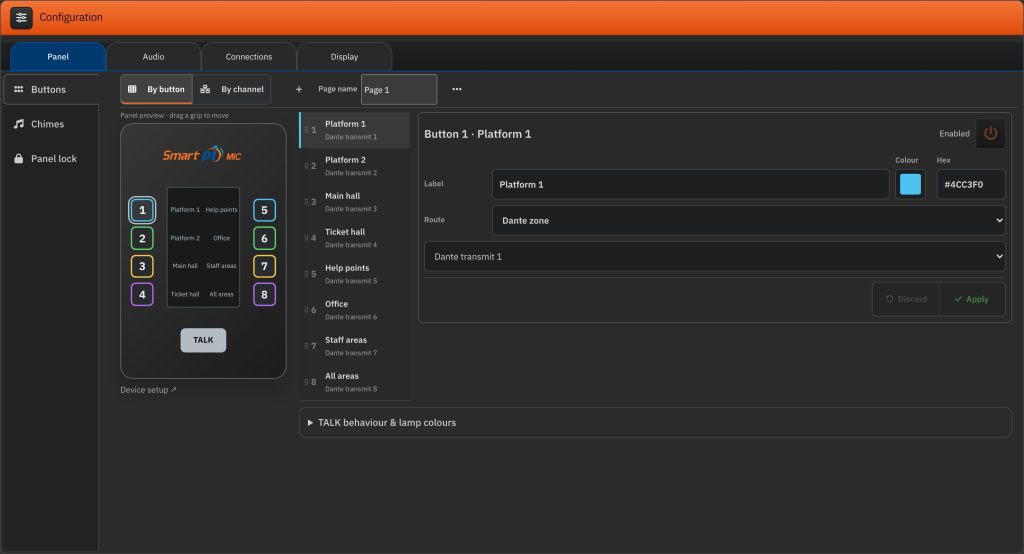
Name every zone the way your team talks about it, give each one a colour, and arrange the pages around how people actually work. It is all done in a browser, with a live virtual panel that shows exactly what the operator sees.
Names that fit the site
Organise pages by platform, level or building. Zones on a DSP take their name and colour straight from it, so there is only one label to maintain.
See what the operator sees
The browser’s virtual panel mirrors the real one, so supervisors and support can see what is selected at any moment.
Voice processing
Every word, clearly heard
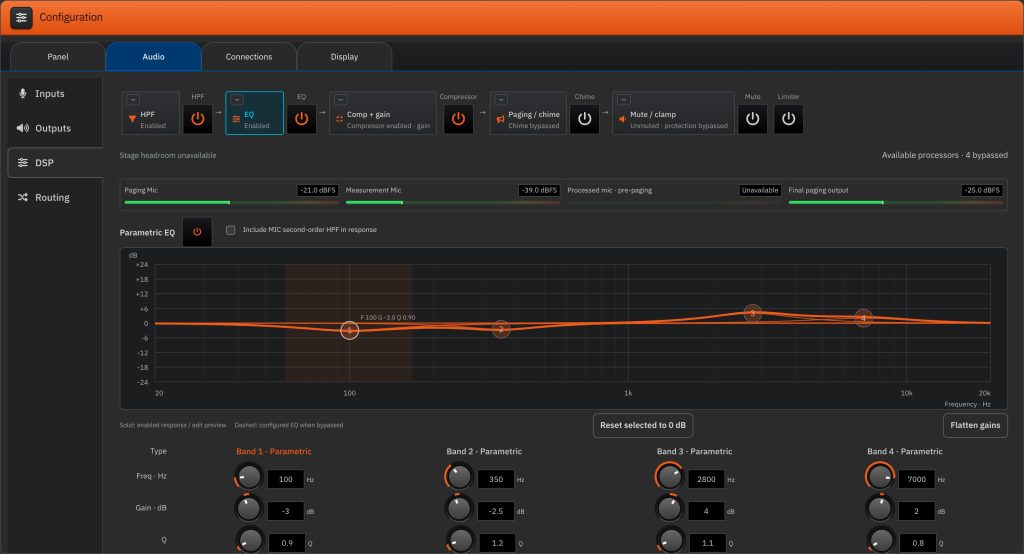
Busy concourses and echoing halls are hard on speech. MIC shapes your voice before it leaves the panel, with gain, a high-pass filter, parametric EQ, compression and a limiter, plus noise reduction, de-essing and feedback suppression where supported. Tune it to the space once, and every announcement sounds its best.
Around the back
One cable to install. Fibre when it is far.
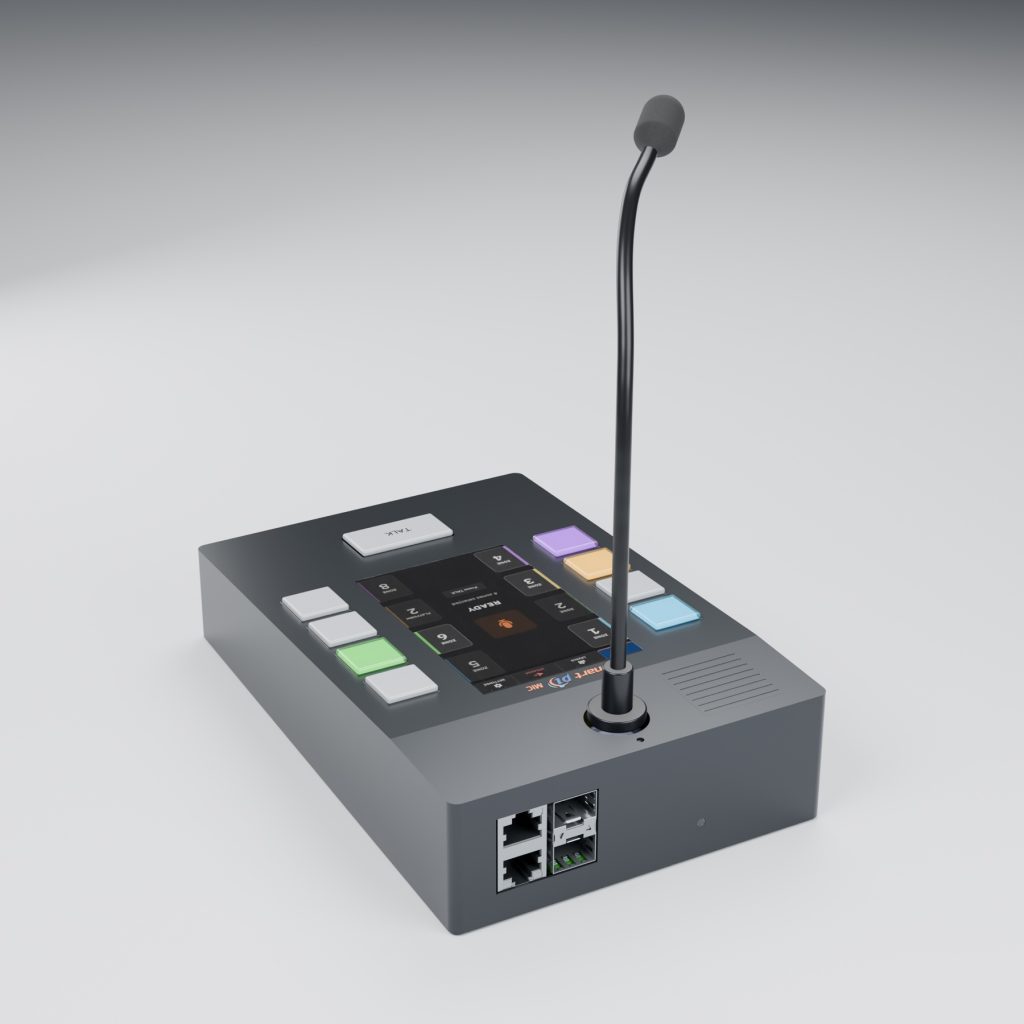
MIC runs on Power over Ethernet, so a single network cable carries its power, its audio and its control. There is no power supply to find a socket for on the desk.
PoE powered
Plug into a PoE switch port and the panel starts up, ready to page. One cable, one connection to make.
Fibre for long runs
Two SFP slots take fibre modules when the control room is a long way from the network, beyond the reach of copper.
A switch built in
Two RJ45 ports and two SFP slots share an onboard network switch, so you choose the connection that suits the site.
Easy to run, easy to support
Built for the long haul
Hear what is happening
Listen in on the panel’s own speaker, from a Dante return or a local or SIP source, with level and mute at hand.
See the connection
Network status, switch links and service information are a browser away, with logs that help support get to the answer quickly.
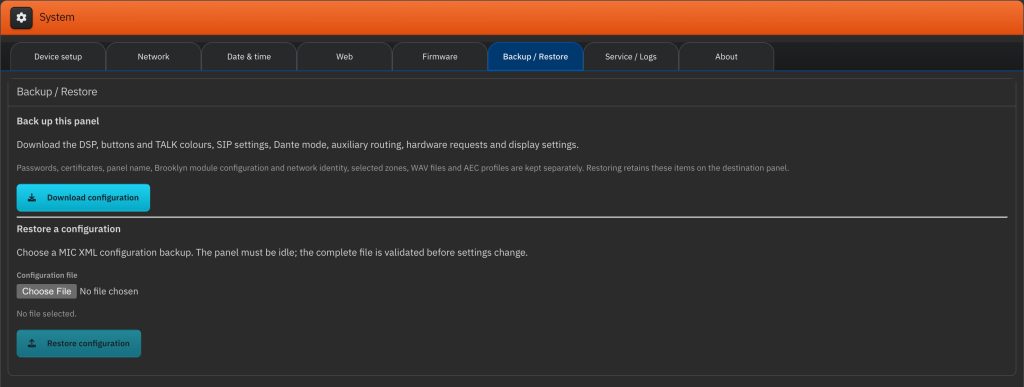
Never lose a setup
Save the whole setup to one file and load it onto this panel or a replacement. Every file is checked before anything changes, and updates fall back to the working version on their own if one fails.
Product summary
The specifications
| Operator controls | Eight physical zone buttons, dedicated TALK button and touchscreen |
|---|---|
| Destination organisation | Up to 24 paging zones across three pages of eight keys; configurable labels and RGB colours |
| Network audio | Up to eight Dante transmit channels in standalone/mixed operation, plus configured SIP destinations |
| Power and connectivity | Power over Ethernet, so one network cable carries power, audio and control. Built-in switch with two RJ45 ports and two SFP slots for fibre on long cable runs |
| Control | AES70; individual DSP zone mapping; DSP Partnered panel control with compatible Smart Pi DSP support |
| Local monitoring | Selected Dante return or local/SIP source, with speaker level and mute |
| Configuration and support | Browser interface, shared-state virtual panel, XML backup/restore, service logs and firmware update interface |
Every installation is different. Talk to us about your zones, DSP partnerships and network routing, and we will help you design the right paging system.